5 AI Face Swap Ideas That Drive Views Without New Shoots
Creating fresh video content used to mean one thing: new shoots.
New scripts.
New locations.
New takes.
More time and money.
That’s no longer true.
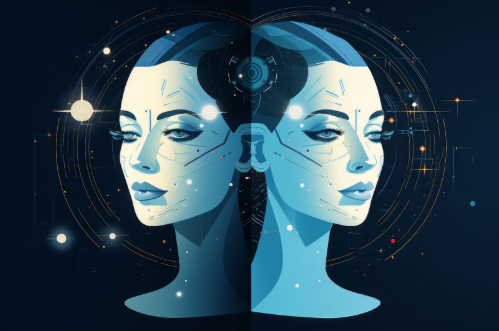
AI face swap technology has quietly become one of the smartest ways to reuse existing footage, boost engagement, and drive views, without touching a camera. Marketers, creators, and social teams are now using AI face swaps to refresh old content, jump on trends faster, and experiment without production delays.
In this article, you’ll learn 5 proven AI face swap ideas that drive views without new shoots, how to use them responsibly, and which AI tools actually work, starting with Invideo.
What Is AI Face Swap (And Why Does It Work So Well)?
AI face swap uses artificial intelligence to replace one face in a video with another while keeping:
- Facial expressions
- Head movement
- Lighting and angles
The result looks natural enough to hold attention, which is exactly why these videos perform so well on social platforms.
Why it works:
- Familiar visuals + new twist
- Zero production time
- Perfect for trend-based content
- High replay value
The key is using face swap creatively, not randomly.
Let’s get into the ideas that actually work.
1. Turn Old Brand Videos Into Fresh Social Content
Most brands already have a goldmine of unused or underperforming video content.
Old ads.
Product explainers.
Internal videos.
Instead of reshooting, marketers now use AI face swap to update the presenter’s face while keeping the same visuals and structure.
How this drives views
- Makes old content feel new
- Allows localization for different regions
- Personalizes videos for different audiences
For example:
- Same product demo, different spokesperson
- Same explainer, localized face for a new market
- Same ad, but refreshed for a new campaign cycle
This approach works especially well for performance ads where creative fatigue is the biggest enemy.
2. Jump on Trends Without Filming New Reactions
Trends move fast. Video production doesn’t.
That’s the gap AI face swap fills perfectly.
Creators and brands now take:
- Existing talking-head footage
- Old reaction videos
- Stock presenter clips
And swap faces to react to:
- Viral memes
- Breaking news
- Platform-specific trends
Because the body language already exists, the content feels natural and timely.
If you’re experimenting or just getting started, tools offering face swap video ai free options make it easy to test ideas without committing to complex workflows or budgets.
The result: faster trend participation and higher engagement without last-minute shoots.
3. Personalize Videos at Scale (Without Recording Everyone)
Personalized videos convert better. That’s proven.
But recording custom videos for hundreds or thousands of users isn’t realistic.
AI face swap changes that.
Marketers can now:
- Use one base video
- Swap faces dynamically
- Deliver “personalized” content at scale
Use cases include:
- Sales outreach videos
- Creator shout-outs
- Community or loyalty campaigns
The content feels personal, but the production effort stays minimal. That balance is why this tactic keeps gaining traction.
4. Refresh Creator Content Without Burning Out
Creator burnout is real, especially for face-forward content.
AI face swap offers a smart workaround.
Instead of filming new videos every day, creators reuse:
- Existing footage
- Popular past videos
- High-performing hooks
Then apply face swaps to:
- Experiment with personas
- Play with humor or parody
- Test new content angles
This keeps feeds active without constant filming. For creators managing multiple platforms, it’s a practical way to stay consistent without burning out.
5. Recreate High-Performing Videos for New Niches
One of the most underrated uses of AI face swap is content cloning across niches.
If a video format works in one niche, it often works in others, with the right adaptation.
AI face swap lets marketers:
- Reuse a proven video structure
- Swap the face to match a new audience
- Keep the message relevant without reshooting
This is especially effective for:
- Educational content
- Motivational clips
- Explainer-style videos
Instead of reinventing the wheel, you scale what already works.
Where Most People Go Wrong With AI Face Swap
Face swap is powerful, but easy to misuse.
Common mistakes:
- Using it purely as a gimmick
- Ignoring context and audience
- Overdoing realism when humor is the goal
The best-performing videos use face swap as a creative enhancer, not the main attraction.
Story and timing still matter.
Best AI Face Swap & Video Tools (Ranked)
Not all AI tools are built the same. Some focus only on face swaps. Others help you create full videos end to end.
Here are the best options today—starting with the most versatile.
1. Invideo
Invideo leads because it doesn’t stop at face swapping.
It lets you:
- Create full videos using AI
- Apply face swap effects naturally
- Edit, caption, and export in one workflow
You don’t need separate tools for swapping faces and editing videos. Everything happens in one place, which saves time and reduces friction.
For creators and marketers who care about speed and quality, this all-in-one approach matters.
2. Reface
Reface is popular for entertainment-style swaps.
It’s great for:
- Memes
- Short-form social content
- Fun experiments
Not ideal for professional or branded videos, but excellent for quick engagement-driven posts.
3. DeepSwap
DeepSwap focuses on realism.
It’s commonly used for:
- Longer videos
- More detailed swaps
- Higher visual fidelity
However, it lacks full video editing features, so you’ll need additional tools.
4. FaceMagic
FaceMagic is designed for fast mobile use.
Good for:
- On-the-go creators
- Quick social clips
- Trend participation
Limited control, but very accessible.
5. All-in-One Mobile AI Video Creation
Many creators now prefer working entirely from their phones.
Using a ai video creator app allows you to:
- Create and edit videos anywhere
- Apply AI effects quickly
- Publish directly to social platforms
This is especially useful for creators and small teams that value speed over complex setups.
How to Choose the Right AI Face Swap Tool
Before picking a tool, ask yourself:
- Is this for fun, marketing, or scale?
- Do I need full video editing or just swapping?
- Will I use this occasionally or daily?
- Casual content → Simple face swap apps
- Marketing videos → All-in-one platforms like Invideo
- High-volume content → Tools that reduce workflow steps
The fewer tools you juggle, the faster you move.
Why AI Face Swap Fits Modern Content Strategy
Content today is about:
- Speed
- Iteration
- Testing
AI face swap supports all three.
It allows teams to:
- Test ideas quickly
- Refresh existing assets
- Scale without increasing production costs
And most importantly, it removes the biggest blocker: the need to constantly be on camera.
How to Start Using AI Face Swap Today
You don’t need a big strategy upfront.
Start small:
- Pick one old video
- Apply one creative face swap
- Publish and measure performance
Let the data guide your next move.
The creators and marketers winning right now aren’t the ones with the biggest budgets, they’re the ones experimenting faster.
Final Thoughts
AI face swap isn’t about replacing creators or authenticity. It’s about working smarter with the content you already have.
When used thoughtfully, it helps you:
- Drive more views
- Reduce production effort
- Stay consistent without burnout
And when combined with a full video creation platform like Invideo, it becomes more than a trick, it becomes a scalable content advantage.
No new shoots required. Just better use of what you already have.










Post Comment